Most van electrical setups are completely invisible when you are away from the van. You have no idea what your battery is sitting at, whether the van is warm or cold, or whether someone has opened a door. You walk back and deal with whatever you find.
This setup changes all of that. The Renogy ONE Core turns your van into a remotely monitored and controlled system. Battery state, solar input, heating, hot water, and a security alarm -- all visible and controllable from your phone wherever you are.
What this guide covers
Everything You Need
| Part | Price | Qty | Link | |
|---|---|---|---|---|
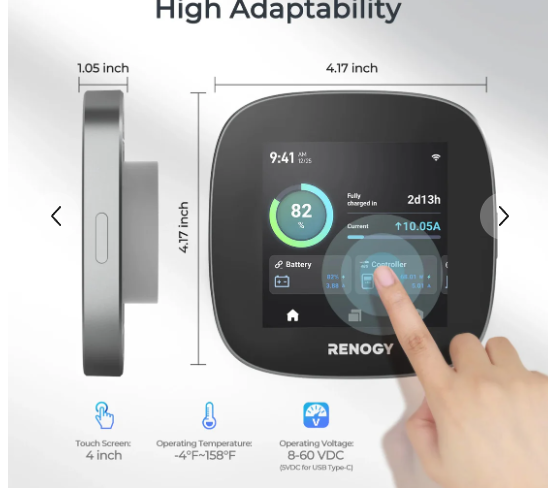 |
Renogy ONE Core | $269.99 | 1 | Renogy |
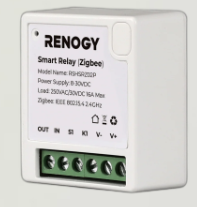 |
Renogy Smart Relay | $22.99 each | 3 | Renogy |
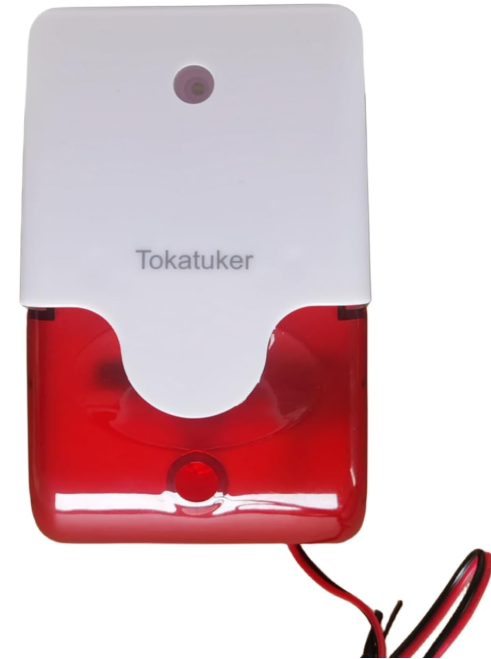 |
12V Siren (115dB) | $13.90 | 1 | Amazon |
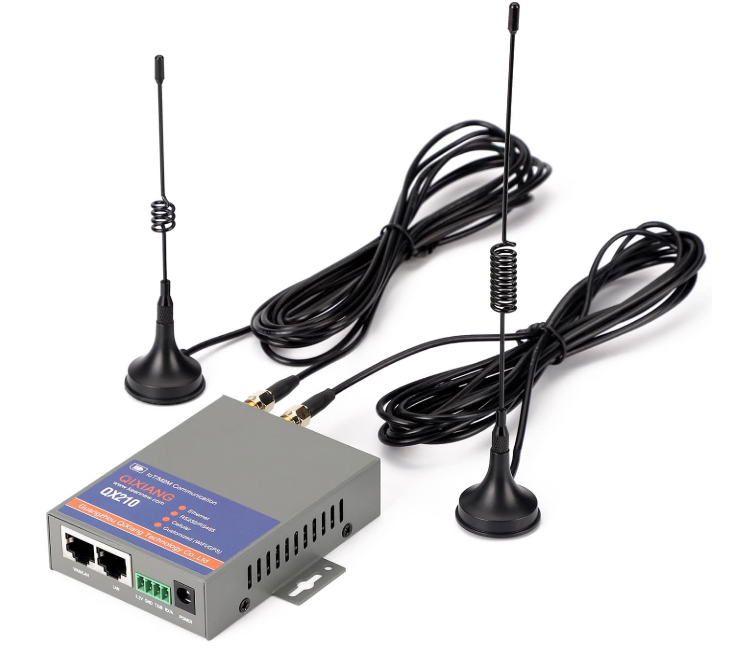 |
4G WiFi Router (KUMA Connect PRO) | $199 | 1 | Amazon |
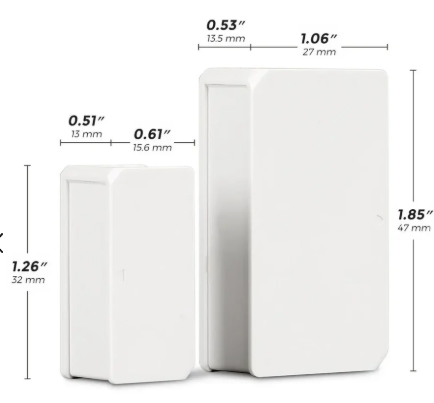 |
Renogy Door and Window Sensor | $45.99 | 2 | Renogy |
| Part | Price | Qty | Link | |
|---|---|---|---|---|
|
Renogy ONE Core | $186.99 | 1 | Renogy |
|
Renogy Smart Relay | Check price | 3 | Renogy |
|
12V Siren (115dB) | $9.99 | 1 | Amazon |
|
4G WiFi Router | $199.99 | 1 | Amazon |
|
Renogy Door and Window Sensor | $15.99 | 2 | Renogy |
Remote Battery and System Monitoring
The Renogy ONE Core connects to your existing Renogy devices over Bluetooth and RS485. It picks up data from your MPPT charge controller, DC-DC charger, battery monitor, and smart batteries automatically. Everything shows on the 4" touch screen on the wall of the van, and the same data streams to the DC Home app on your phone over WiFi.
As long as the van has an internet connection (via the 4G router with a SIM card), you can check your battery percentage, solar input, and energy usage from anywhere in the world. Set alerts for low battery and the app notifies you before it becomes a problem.
The ONE Core also has a built-in levelling display. If you are on a sloped pitch, it shows you exactly how far off level you are so you can reposition without guessing.
Monitoring chain
The 4G router is the key. The ONE Core needs WiFi to send data to your phone. A router with a SIM and a small data plan keeps it online while you are away. The ONE Core uses minimal data so the cheapest plan available is fine.
Switching Heating and Hot Water On Remotely
The Renogy Smart Relay is a single-channel Zigbee relay that connects wirelessly to the ONE Core. You wire it into the switch circuit of whatever you want to control -- not the main power feed -- and the ONE Core switches it on and off through the DC Home app.
For the hot water heater, the relay sits on the switched feed to the control board. The main power feed stays hardwired to the bus bar as normal. The relay just controls whether the heater is active or standby -- exactly the same as flicking the switch inside the van, but done from your phone.
For the diesel heater, the same approach applies. The relay goes on the 12V switched feed to the heater's control unit. Tap the app 30 minutes before you head back and the van is warm when you open the door.
You can also set automated scenes. Tell the ONE Core to switch the hot water on at 7am every day and it handles it without you doing anything.
Remote switching chain
Wire the relay to the switch circuit only. The Smart Relay handles a maximum of 16A. The main power feeds to your heaters run direct to the bus bar and stay untouched. The relay only sits on the low-current switched control feed.
Van Security, CCTV and Door Alerts
The Renogy Door and Window Sensor sticks to your van doors with 3M adhesive that has been vibration tested for vehicle use. The moment a door opens, the sensor fires a Zigbee signal to the ONE Core, which sends an instant notification to your phone and triggers any smart scene you have programmed.
Wire a 12V siren to Smart Relay 3 and set up a smart scene in the DC Home app: when the door sensor triggers, activate Relay 3. That scene is saved to the ONE Core and runs locally over Zigbee. You do not need to tap the app or be connected to the internet -- the moment a door opens, the ONE Core fires the relay and the siren goes off automatically. If the van has internet via the 4G router, the phone notification arrives at the same time, but the siren does not wait for it.
The motion sensor adds an outer perimeter. Someone approaching the van before they even touch the door will trigger it. You can set the sensitivity and program it to alert only, or alert and sound the siren, depending on where you are parked.
The Renogy ONE Core itself does not have a built-in siren, so the 12V siren on a Smart Relay is the right setup. It is louder, can be mounted anywhere inside or outside the van, and runs directly off your 12V system.
If you have the 4G router running, you can also connect a WiFi IP camera to it and access the live feed remotely from your phone. A small 12V-powered or battery-powered IP camera inside or outside the van gives you eyes on it from anywhere in the world. Just be aware that live video streaming will chew through your data allowance quickly -- use it for spot checks when something triggers an alert, not continuous monitoring.
Security chain
Installation Overview
The ONE Core mounts on the wall and wires to 12V power. RS485 cable runs to your MPPT controller and DC-DC charger. Bluetooth pairs your smart batteries and battery monitor automatically once the app is open.
The Smart Relays need two connections each: 12V power in and the switched feed to the device being controlled. For the hot water heater and diesel heater, the relay replaces the existing manual switch. You can keep the manual switch in parallel if you want the option of both.
The door sensors and motion sensor are battery powered and Zigbee. Stick the sensors to the door frames using the 3M adhesive, pair them in the DC Home app, and configure your alert scenes. No wiring needed.
The 12V siren wires directly into Smart Relay 3 like any other 12V load. Mount it somewhere inside the van where it cannot be easily reached and silenced from outside.
Keep the manual switch option. Wire the relay in parallel with your existing hot water and diesel heater switches rather than removing them. If the app or WiFi ever has an issue you can still operate everything manually from inside the van.
For what you get -- full battery monitoring, remote heating and hot water control, and a working van alarm system -- that is a reasonable outlay. Most of the cost is the ONE Core. The relays and sensors are cheap individually.
If you already have Renogy solar, batteries, and a charge controller, the ONE Core is the natural next step. It pulls all the data you already have into one screen and one app, and adds the ability to actually control things remotely rather than just observe.
Get the Full Electrical Guide
Every part of the 12V system covered. Solar, batteries, DC-DC charger, cable sizing and fusing. AU and US parts lists included.
This page contains affiliate links. If you purchase through them we may earn a small commission at no extra cost to you. See our affiliate disclosure.